
Posting Grades
In Blackboard Ultra there are two ways to post grades to the students: individually or for and entire assignment at once. We recommend posting grades from the Grid view in Gradebook, although it is possible to post them from other places.
Post individual student grades
In the List view on Gradebook, you should be able to see all student submissions that have been marked.
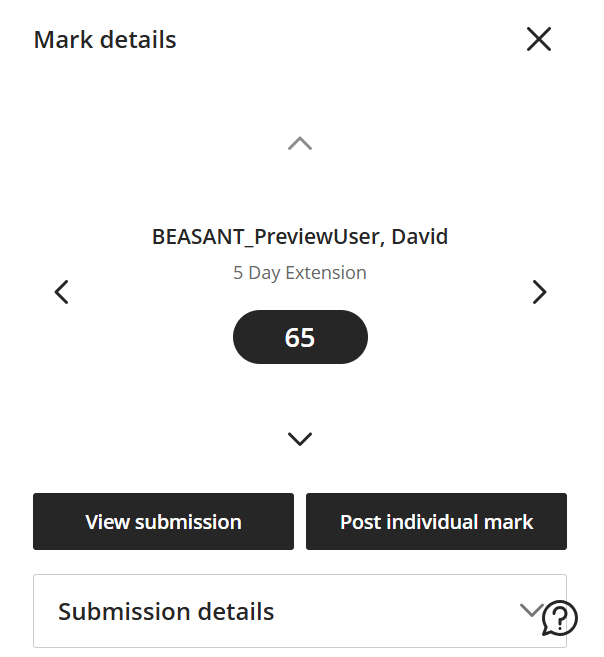
When you are ready to post an individual students work, you can click on that students specific submission then on the "Post individual mark" button on the panel that will appear to the right. Once you have posted the grade students will be able to see their marks and feedback for that individual assignment.
Posting all marks for an assignment
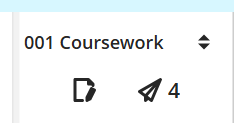
To post all marks for a specific assignment, in the Grid view in Gradebook, you can select the desired assignment in the column header and click on the aeroplane image - the number next to it indicates how many marks are to be posted. Once you have posted the grade students will be able to see their marks and feedback for that individual assignment.
Note: Once you have posted a students grade, you are unable to recall that grade & feedback, so it is important to wait until you are definitely ready to post the grades.
Get Support:
The Digital Education and Service Development Team can support you with using digital tools for teaching, learning, assessment and student support.